
If you regularly install Android applications outside the Play Store, you probably know how repetitive the process can become.
You find an APK somewhere, download it, install it, remember where you got it from, and then repeat the entire process when a new version is released. If you use applications distributed through GitHub or Telegram, keeping track of updates can become even more annoying.
That’s where B-SideLoader comes in.
Instead of treating APK installation as a one-time manual process, B-SideLoader brings discovery, downloading and updating into one place. I came across it while looking for a simpler way to manage standalone Android applications, and the idea is actually quite practical for anyone who frequently sideloads software.
What B-SideLoader Does
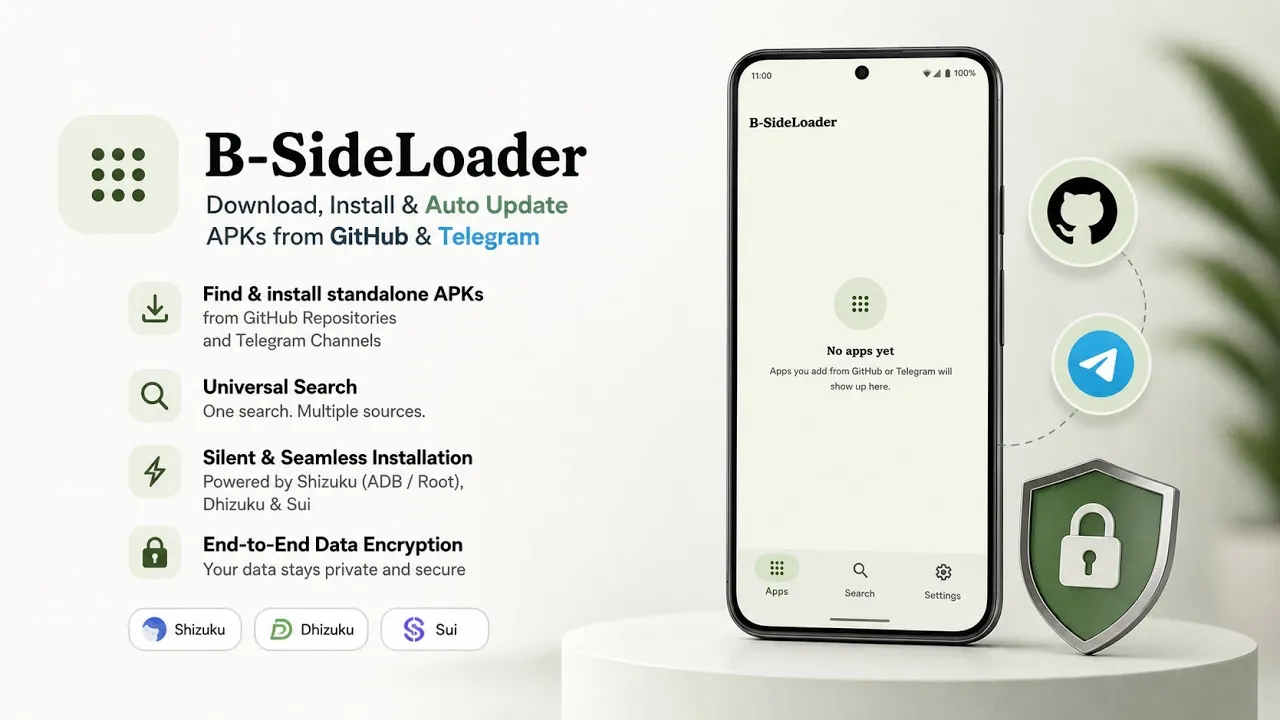
At its core, B-SideLoader is an APK discovery and installation utility.
The application can work with different sources, including GitHub repositories and Telegram channels, allowing users to find APK releases without constantly jumping between different websites or applications. The video demonstrates this source integration as one of the main features of the application.
There’s also a universal search feature that can search through configured sources.
That makes the workflow considerably simpler. Instead of remembering which GitHub repository contains an application or which Telegram channel publishes its updates, you can search from B-SideLoader itself.
And once you’ve found an application, the installation process is handled from within the same interface.
Installing B-SideLoader
The application itself is distributed as a normal APK.
In the video, I start with the B-SideLoader APK already saved in local storage and open it through the Android file manager. Android then displays the standard package-installation prompt, after which the application can be installed normally.
There isn’t a complicated installation procedure just to get the application running.
Of course, Android’s permission model can vary depending on the version you’re using, so you may need to allow installation from the source you’re using.
The Interesting Part: Automatic Updates
The feature that makes B-SideLoader more interesting than a basic APK installer is its source integration.
Once you configure your preferred sources, the application can fetch APK releases from supported GitHub repositories and Telegram channels.
That means you don’t necessarily have to manually visit each project every time you want to check whether a new APK has been published.
For people who regularly test open-source applications, beta builds or software that isn’t distributed through Google Play, this can save a surprising amount of time.
YouTube:
Silent Installation Options
B-SideLoader can also take advantage of additional Android privileges for installations.
The script demonstrates support for Shizuku through ADB or root, as well as Dhizuku, Sui and foreground services.
The advantage is that compatible configurations can allow installations to happen with fewer manual confirmation prompts.
This is one of those features where your particular Android setup matters.
A normal Android installation has a different permission model from a rooted phone using Shizuku, for example. So not every installation method will be available to every user.
If you don’t already use one of these privileged-access solutions, you shouldn’t install one solely because B-SideLoader supports it.
Why This Could Be Useful
I think B-SideLoader makes the most sense for a particular type of Android user.
If you download one APK every few months, manually installing it isn’t really a problem.
But if you’re constantly experimenting with open-source Android projects, GitHub releases, development builds and applications distributed outside traditional app stores, managing those files manually can become tedious.
B-SideLoader essentially tries to turn that repetitive process into something closer to an application library.
Privacy and Local Data
The project also places emphasis on local handling of user information.
According to the video, private data, configured sources and personal settings are encrypted locally on the device.
That is worth mentioning because an application that keeps track of your sources and downloads is handling information about your software usage.
As always, however, users should still download applications from sources they trust and verify that a repository or release belongs to the actual developer.
The fact that software is distributed through GitHub or Telegram doesn’t automatically make every APK safe.
My Take
What I like about B-SideLoader isn’t simply that it installs APKs.
Android can already install an APK.
The more interesting part is putting source discovery + searching + downloading + updating + installation into one workflow.
That becomes especially useful when your application collection comes from several different places.
The interface shown in the video is also straightforward enough that the concept doesn’t feel unnecessarily complicated.
Download B-SideLoader
The exact download link provided with the video is:
The developer/source credit provided in the video is:
Final Thoughts
B-SideLoader isn’t something every Android user necessarily needs.
If you primarily install applications from Google Play, its benefits may be limited.
But if you’re the kind of person who regularly downloads APKs from GitHub projects, follows Telegram release channels and likes trying applications that aren’t available through conventional app stores, it solves a very real annoyance.
Instead of keeping track of multiple sources yourself, B-SideLoader brings them together and gives you a central place to search and manage those applications.
And that’s probably the best way to look at it—not as another APK installer, but as a management tool for people who frequently sideload Android applications.
Download: Download B-SideLoader
Developer: re7gog/B-SideLoader
Discussion (0)
Post a Comment
No comments yet. Be the first to share your thoughts!