
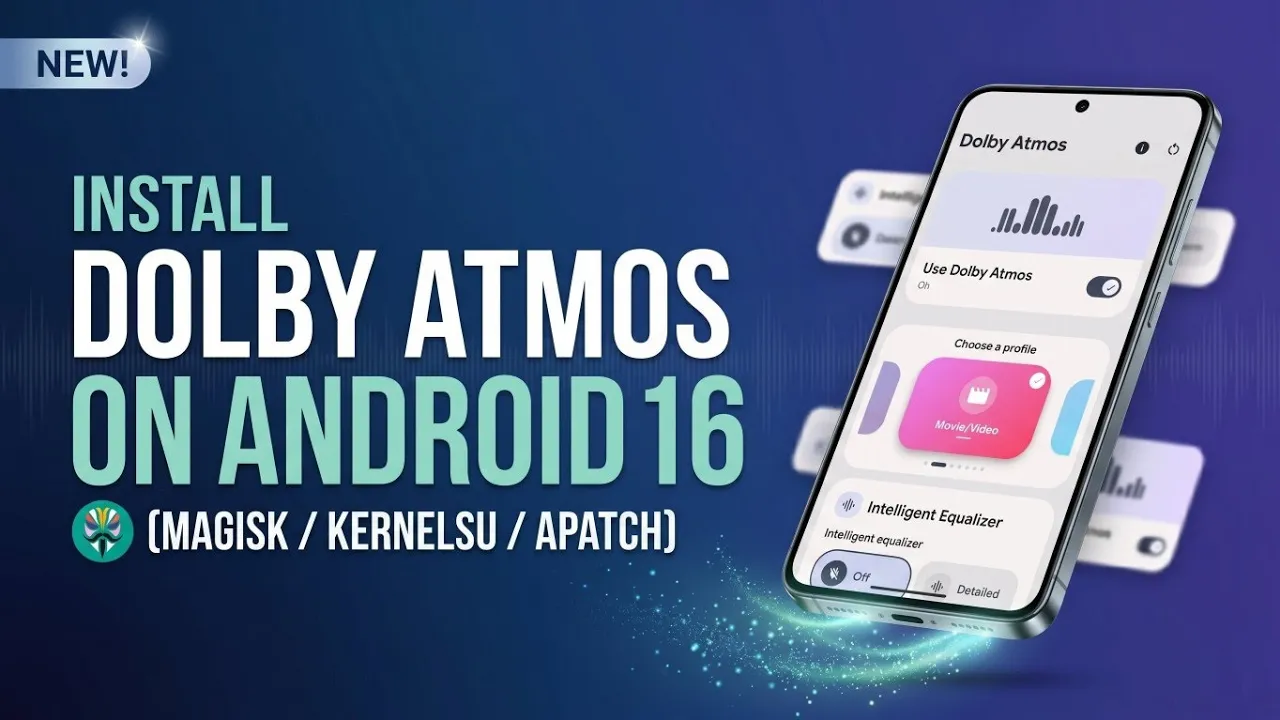
Mobile entertainment has evolved tremendously over the past decade, transforming our smartphones into pocket-sized cinemas and high-fidelity music players. Yet, despite breathtaking high-resolution displays and lightning-fast processors, the built-in audio experience on many Android devices remains remarkably flat and uninspiring. While the physical hardware limitations of tiny smartphone speakers certainly play a role, the software processing engine driving that audio is often the real bottleneck.
Fortunately, the Android developer and modification community offers a profoundly effective solution: bringing the legendary spatial sound architecture of Dolby Atmos directly to your smartphone through advanced, system-level enhancements. By leveraging powerful administrative frameworks, users can completely overhaul their device's audio output, unlocking a rich, immersive surround sound environment that rivals premium standalone media players.
Understanding the Framework and Prerequisites
Embarking on this audio upgrade requires a specific software environment to ensure absolute stability and compatibility. Because this modification directly alters how the Android operating system processes sound frequencies at a fundamental level, your device must meet certain architectural criteria. Primarily, the smartphone needs to run on an ARMv7a or ARM64-v8a processor architecture (with v7a support). Furthermore, the underlying software environment necessitates a 32-bit HIDL audio service and must be running Android 4.2 (SDK 17) or higher, making it highly compatible with a vast array of both modern flagships and legacy devices alike.
Most importantly, because we are applying system-level acoustic enhancements, standard user permissions are insufficient. Your device must be unlocked and managed by a modern root administration framework. Compatible environments include the highly popular Magisk, its privacy-focused fork Kitsune Mask, or kernel-level solutions like KernelSU and APatch. These specific tools allow modifications to be applied "systemlessly." This means the core operating system files remain entirely untouched, drastically reducing the risk of software corruption while still granting the deep system access necessary for a total audio transformation.
Watch the full tutorial here on our Youtube channel:
Gathering the Essential Components
Preparing for the installation requires acquiring the correct software packages, typically managed directly through your device's local file manager. There are two primary archive files involved in this process. The star of the show is the Dolby Atmos Magic Revision module itself. This comprehensive file contains the sophisticated audio drivers, the advanced processing engine, and the user interface application required to actively tune your sound.
The second file is the Audio Modification Library, commonly referred to as AML. The Android operating system can be notoriously finicky when multiple applications or modifications attempt to control the system's core audio routing policy simultaneously. AML acts as a crucial compatibility and conflict-resolution layer. However, its installation is strictly conditional. You only need to apply the AML package if you are already running other root-level audio-enhancing modifications alongside Dolby Atmos. If Dolby is going to be your sole sound modification, the AML file can be safely ignored, keeping your installation lean, efficient, and conflict-free.
The Systemless Application Process
Applying these enhancements is a seamless process managed entirely through your chosen root administration application. Navigating to the dedicated module installation section of Magisk, Kitsune Mask, KernelSU, or APatch allows you to deploy the downloaded packages directly from your local storage.
The procedure begins by selecting the primary Dolby Atmos package. The framework will autonomously unpack the high-fidelity drivers, inject the necessary audio routing protocols, and integrate the user interface seamlessly into your app drawer. If your specific, heavily modified setup necessitates the Audio Modification Library, that package is flashed immediately afterward using the exact same method. The brilliance of this framework lies in its safety; everything runs parallel to the core OS. Once the environment confirms a successful installation, a simple device reboot initializes the new audio drivers, permanently replacing the stock sound engine with the newly integrated Dolby Atmos processing pipeline.
Unlocking an Immersive Auditory Interface
Upon returning to the home screen, the true magic begins when launching the newly integrated application interface. Users are immediately greeted with a sleek, modern dashboard offering an array of powerful, adaptive sound profiles. The Dynamic profile is an absolute standout for everyday use, as it intelligently analyzes the media currently playing on the screen and automatically adjusts frequencies in real-time. This delivers exceptionally crisp vocals and deep, resonating bass without requiring any manual intervention.
For those who prefer a tailored, situation-specific experience, dedicated Movie and Music presets optimize the spatial audio algorithms for cinematic immersion or rhythmic clarity. Audiophiles, however, will deeply appreciate the custom graphic equalizer, which grants granular, precise control over individual frequency bands. Whether you want to boost the extreme lows for punchy, physical bass or elevate the highs for crystal-clear treble, the power is entirely in your hands.
Beyond standard equalization, the software includes advanced acoustic utility toggles. A dedicated dialogue enhancer isolates and projects vocal tracks, ensuring you never miss a whispered line in an action-heavy movie. Additionally, an intelligent volume leveler normalizes overall output, completely eliminating the jarring, sudden jumps in loudness often experienced when transitioning between different songs, videos, or applications.
Ultimately, integrating this sound architecture is a masterclass in mobile software optimization. It completely bypasses the frustrating limitations of standard Android audio processing, elevating both external speaker and headphone output into a rich, three-dimensional auditory experience.
Subscribe to our YouTube channel for daily Android tips, tricks, and tutorials: TechyNoob


Discussion (0)
Post a Comment
No comments yet. Be the first to share your thoughts!