
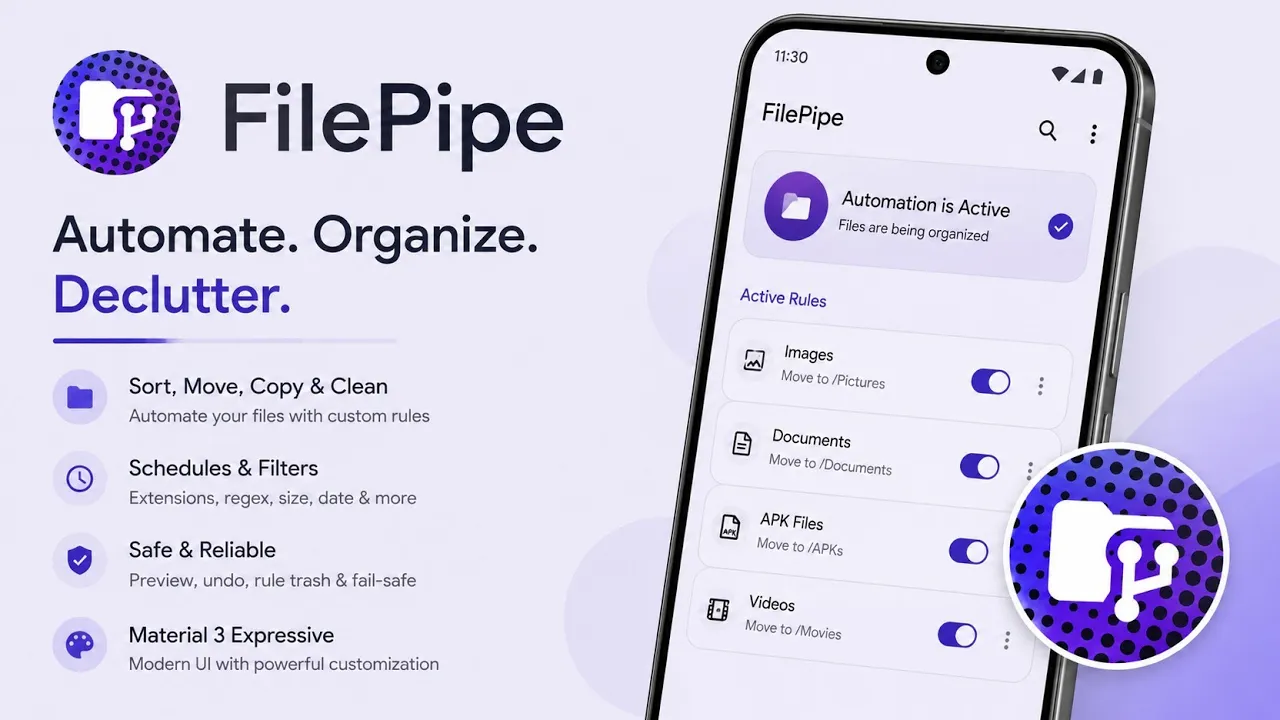
Keeping Android storage organized can become surprisingly difficult. Screenshots, downloaded files, videos, documents and media from different applications often end up scattered across multiple folders. Android's built-in file manager can move these files manually, but doing the same task repeatedly becomes tedious.
FilePipe takes a different approach. Instead of manually moving files every time, you can create rules that tell the application which files to find, where to put them and when the operation should happen.
The application is open source and is designed around rule-based file organization. Its official repository describes FilePipe as an Android application that can automatically move or copy files based on criteria such as extension, filename, size, age and other filters.
I tested FilePipe on my Redmi Note 7 Pro running MatrixxOS based on Android 16 QPR2.
What Is FilePipe?
FilePipe is essentially an automation layer for Android storage.
You create a rule by selecting a source folder, defining the type of files you want to process and selecting a destination. The application can then perform the operation manually or according to a schedule.
For example, you could create a rule that looks for screenshots and moves them into a dedicated Screenshots folder. Another rule could identify downloaded videos and move them into a Movies directory.
The official project supports actions including move, copy and delete, along with conflict-handling options such as skip, overwrite or rename.
My Testing Setup
Device: Redmi Note 7 Pro
ROM: MatrixxOS
Android: Android 16 QPR2
I used this environment to test the application's file-management workflow and its rule-based approach.
Watch the Video
I've also demonstrated FilePipe in the accompanying TechyNoob video.
The video provides a visual demonstration, while this article explains how the system works and where it can be useful.
Creating a FilePipe Rule
The basic workflow starts with selecting a source.
You can choose a folder and decide whether FilePipe should also scan its subdirectories. You then define what should qualify as a matching file.
The filtering system goes beyond simple extensions. According to the project's documentation, FilePipe supports filename patterns, wildcards, regular expressions, file size, file age and media orientation.
After defining the filter, choose the destination.
You can then select whether the application should move, copy or delete matching files.
For automation, rules can be scheduled hourly, daily or weekly.
This makes the application more useful than a traditional file manager when you repeatedly perform the same organizational task.
Download
The version demonstrated in my video is available here:
For the source code and latest project information, visit theofficial FilePipe GitHub repository.
Developer credit: Bikram Agarwal.
Useful Features
One feature I particularly like conceptually is the ability to keep a history of previous operations.
The official project says FilePipe logs every run and can provide notifications with a quick result preview and an Undo option.
There is also support for exporting and importing rules and settings, which can be useful if you reinstall the application or move your configuration to another setup.
FilePipe also provides home-screen shortcuts for running favourite rules quickly.
Permissions and Privacy
File-management applications naturally need access to files.
Depending on how you configure FilePipe, Android may require selective storage access or broader file access. The official project describes both Selective Access and All Files Access modes.
Because storage access can expose personal files, you should understand which directories you are giving the application access to.
One advantage of an open-source application is that its implementation can be inspected publicly. However, open source should not automatically be interpreted as a guarantee that an application is risk-free.
Things to Watch Out For
Automation is powerful, but mistakes can also be automated.
Before creating a rule that deletes files, test it using a harmless folder or choose copy instead of delete initially.
Similarly, don't create broad rules that can accidentally match files you didn't intend to move.
The application's conflict-resolution options can also affect how duplicate files are handled, so check those settings before scheduling an important rule.
My Experience
On the Redmi Note 7 Pro running MatrixxOS and Android 16 QPR2, FilePipe fits a practical problem: repetitive file organization.
The advantage isn't that it makes storage faster or magically increases free space. Its value is automation.
Instead of remembering to move files every day, you can create the rule once and allow FilePipe to perform the repetitive task.
Pros and Cons
Pros
- Rule-based file organization
- Scheduled automation
- Move, copy and delete actions
- Advanced filtering
- File history
- Undo support
- Open source
- Backup and restore for rules
Cons
- Storage permissions require consideration
- Incorrect rules can affect many files
- Automated deletion should be configured carefully
- Android storage restrictions vary between versions
Final Verdict
FilePipe is a useful concept for Android users who frequently find themselves manually organizing storage.
Its strongest feature isn't a flashy interface; it's the ability to turn repetitive file-management tasks into reusable rules.
After testing it on my Redmi Note 7 Pro with MatrixxOS and Android 16 QPR2, I'd consider it particularly useful for users who regularly download large amounts of media or maintain specific folder structures.
If you want an open-source Android file organizer that can automate repetitive storage tasks, FilePipe is worth exploring.




Discussion (0)
Post a Comment
No comments yet. Be the first to share your thoughts!