
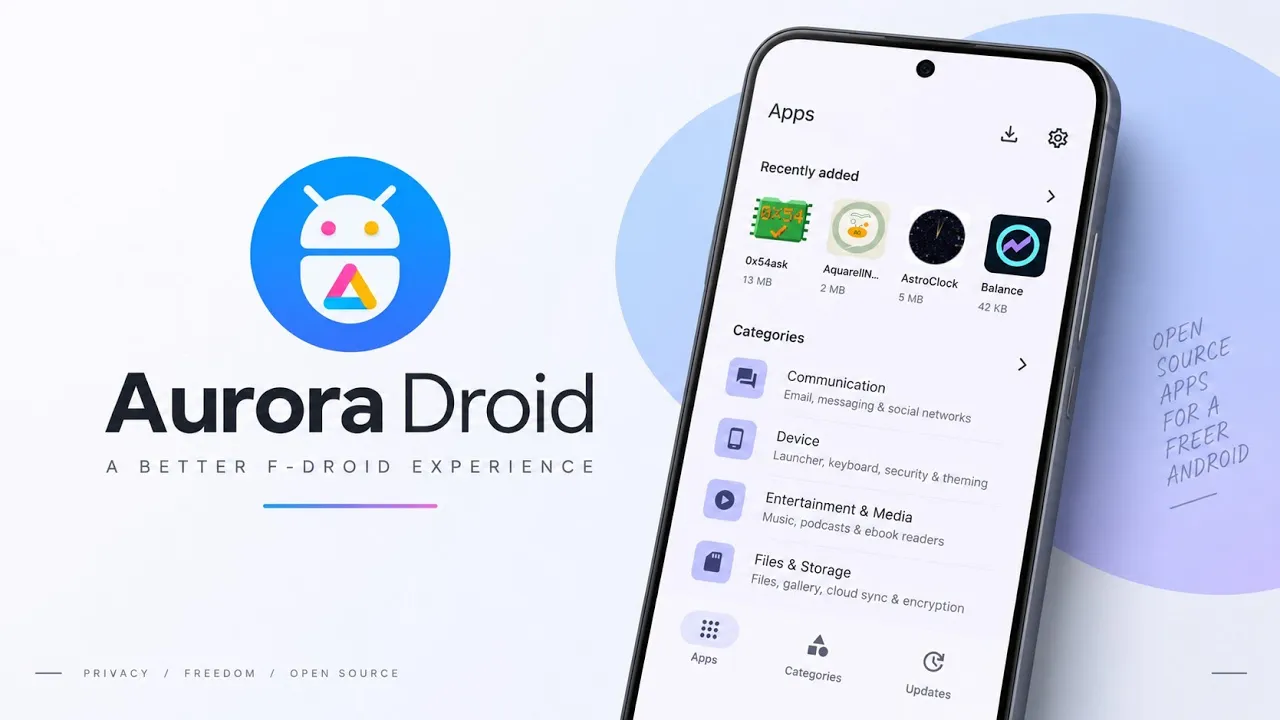
If you enjoy discovering open-source Android applications, you've probably come across F-Droid. It is a popular platform for finding free and open-source Android software, but its standard client may not offer the interface and repository management experience that every user prefers.
Aurora Droid is an unofficial, free, and open-source client for F-Droid that brings a modern interface, repository controls, and a dedicated download manager to the experience.
With Material Design styling, dynamic themes, support for third-party repositories, and flexible download management, Aurora Droid offers another way to browse and install open-source Android applications.
In this guide, we'll explore its interface, installation process, repository management, and the settings that make it useful for users who prefer open-source software.
Watch the Full Video
Watch the complete Aurora Droid walkthrough:
Download Aurora Droid
Use the developer's official release source or another repository you trust.
Credits / Official Developer
Project: Aurora Droid
Official GitHub / Developer Source
What Is Aurora Droid?
Aurora Droid is an alternative client for accessing applications from F-Droid repositories.
F-Droid is widely used by people who prefer open-source software and want an alternative to conventional app distribution platforms.
Aurora Droid builds on that concept by providing a more modern interface and additional controls for managing repositories and downloads.
It is particularly useful for users who want to explore applications beyond the default F-Droid catalog and organize their software sources in one place.
Install Aurora Droid
Getting started is straightforward and doesn't require root access.
First, download the Aurora Droid APK and locate it in your file manager.
Tap the APK to open Android's package installer.
If Android asks for permission to install applications from that source, grant the required permission and continue.
Wait for the installation to finish, then launch Aurora Droid.
The application can request the permissions it needs during initial setup. Review each permission prompt before granting access.
Explore the Material Design Interface
One of Aurora Droid's main attractions is its modern interface.
The application uses Material Design-inspired layouts, smooth animations, and card-based browsing.
It also supports dynamic theming and dark mode, allowing the interface to adapt to your preferred appearance.
Browsing through application categories feels straightforward, making it easier to explore available software without navigating a cluttered interface.
The design is especially appealing if you prefer Android applications that follow modern visual conventions.
Dedicated Download Manager
Aurora Droid includes a dedicated download manager for managing application downloads.
Instead of relying exclusively on a basic download flow, you can use a queue to monitor multiple downloads.
The manager provides controls to:
- View download progress
- Pause downloads
- Resume downloads
- Manage multiple application downloads
This is useful when you're installing several applications or downloading larger packages.
The queue-based interface makes it easier to see what's downloading and manage the process without repeatedly returning to the application's main browsing screen.
Repository Manager: Access More Applications
One of Aurora Droid's most useful features is its built-in Repository Manager.
Traditional F-Droid clients generally begin with the default repository catalog. Aurora Droid makes it easier to enable or disable additional repositories from within the application.
The project highlights support for third-party sources such as:
- Guardian Project
- IzzyOnDroid
- microG
These repositories can expand the collection of applications available through the client.
You can synchronize repository information and manage the sources you want to use without manually configuring each repository outside the application.
However, adding more repositories also means relying on more software sources. Review the reputation and purpose of each repository before enabling it, and avoid installing applications simply because they appear in a catalog.
Customize Aurora Droid Settings
The settings panel provides several useful controls for tailoring the application to your preferences.
You can adjust automatic update intervals and choose how application installation is handled.
There are also options for changing accent colors and configuring network preferences.
Network settings are particularly useful if you want to control how the application uses mobile data. Depending on the available options, you can adjust its behavior to avoid unnecessary downloads over a limited connection.
These controls make Aurora Droid more flexible for users who regularly browse and update open-source applications.
Privacy and Open-Source Considerations
Aurora Droid is presented as a free and open-source project under the GPLv3 license.
Its open-source nature allows users and developers to inspect the project code and understand how the client is designed.
However, open-source licensing alone does not automatically guarantee that every application available through a repository is safe or free from tracking.
The privacy characteristics of an installed application depend on that application's own implementation, permissions, and network behavior.
Review permissions and repository sources before installing unfamiliar software.
Who Should Use Aurora Droid?
Aurora Droid may be useful if you:
- Prefer free and open-source Android applications
- Want a modern interface for browsing F-Droid repositories
- Need more control over third-party repositories
- Prefer a dedicated download queue
- Want to customize application themes and network behavior
It is also worth exploring if you're trying to reduce your dependence on conventional app stores, although some applications may still require proprietary services or Google components.
Final Thoughts
Aurora Droid provides an alternative way to explore F-Droid applications through a modern interface.
Its Material Design layout, dynamic theming, dedicated download manager, repository controls, and network settings make it a useful option for people who regularly install open-source software.
The built-in Repository Manager is especially helpful for discovering applications from additional sources, while the download queue makes managing multiple installations more convenient.
If you're looking for a different way to browse open-source Android applications, Aurora Droid is worth exploring.

Discussion (0)
Post a Comment
No comments yet. Be the first to share your thoughts!