
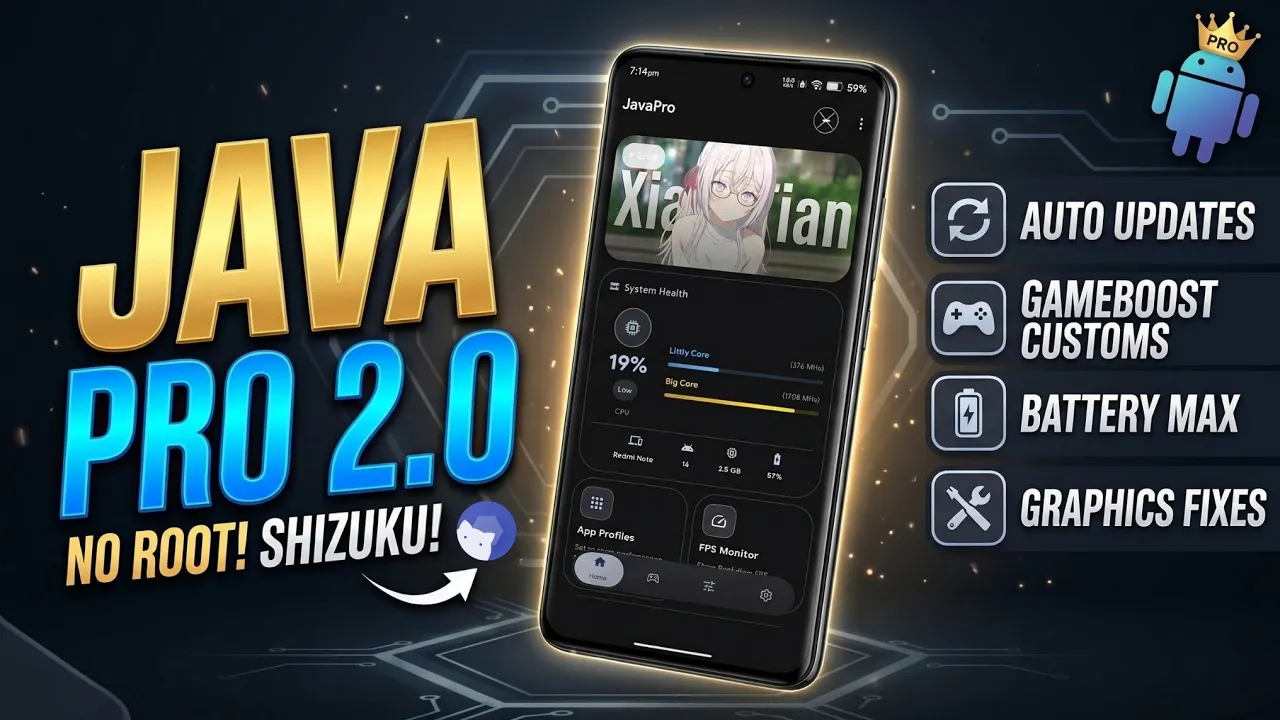
Mobile gaming and heavy multitasking have pushed modern Android smartphones to their absolute limits. As applications become more demanding and graphically intensive, standard device performance often falls short of delivering a flawless, stutter-free experience. Finding a reliable way to push hardware boundaries without compromising device security or stability is a common challenge for tech enthusiasts. Enter Java Pro, an incredibly powerful optimization utility designed to drastically elevate Android performance. Unlike many performance-enhancing tools that cater exclusively to a niche technical audience, this software bridges the gap between everyday users and advanced tinkerers, offering a profound upgrade to how an Android smartphone operates under heavy software loads.
Rooted vs. Non-Rooted Accessibility
Historically, diving into deep system optimizations meant permanently altering a device’s software by rooting it. While effective, this process often intimidates casual users and can complicate device warranties. One of the most remarkable aspects of this new optimization ecosystem is its universal compatibility. For those who already possess a fully rooted device utilizing Magisk or Kernel SU, the application seamlessly integrates with existing superuser permissions to execute low-level performance tweaks.
However, the true breakthrough lies in its non-rooted capabilities. By leveraging Shizuku—a highly respected service that allows normal applications to utilize system-level APIs through wireless debugging—anyone can unlock these powerful features. Installing the software is wonderfully straightforward. Users simply navigate to their preferred file manager, locate the lightweight APK file in their local downloads directory, and allow the system package installer to run its standard process. Upon the first launch, granting the necessary Shizuku or root permissions immediately arms the software with the essential system access required to revitalize the operating system.
Watch the full tutorial here on our Youtube channel:
A Modern, Intuitive User Experience
Utility applications dealing with complex system tweaks are notorious for being visually cluttered and difficult to navigate. This application fundamentally changes that narrative with a breathtaking user interface overhaul. The development focus has clearly been placed on the user experience, resulting in a modern, highly intuitive design across both the main home screen and the intricate settings menus. Navigating through various performance modules feels incredibly smooth and logical. Recognizing that deep system-level tweaks can sometimes prompt questions, the developers have thoughtfully relocated the dedicated support section directly to the main home screen. This ensures that troubleshooting or finding guidance is just a single tap away, completely eliminating the frustration of digging through endless sub-menus to find basic assistance.
Gaming Optimization and Graphics Control
For mobile gamers, frame drops and thermal throttling are the ultimate enemies. To combat this directly, the software introduces vastly improved graphics drivers that have been meticulously fixed and optimized. These enhancements ensure that demanding 3D environments render with maximum fluidity, providing a noticeable competitive edge and incredibly consistent frame rates.
Furthermore, the inclusion of a highly customizable "Game Boost" section puts power directly in the user's hands. Rather than applying a blanket, one-size-fits-all performance profile, individuals can manually add custom application packages to this boost list. This ensures that the system allocates maximum CPU and GPU priority precisely where it is needed most, actively preventing background processes from stealing computing power during an intense gaming session.
Resource Management and Distraction-Free Immersion
Device performance is also heavily reliant on intelligent resource allocation and maintaining user focus. An incoming notification can easily cause a micro-stutter in-game or break concentration during important mobile workflows. To solve this, a highly efficient Notification Limiter has been integrated. This feature quietly suppresses incoming alerts, guaranteeing an immersive, distraction-free environment.
On the networking side, background applications constantly pinging remote servers can silently choke a device's bandwidth. The newly introduced Background Data Saver aggressively targets this underlying issue. By preventing idle apps from consuming network data, it stabilizes the connection for the active foreground application, resulting in significantly lower ping during multiplayer matches and reduced overall data consumption.
Battery Longevity and Automated Maintenance
A common trade-off when boosting a smartphone's performance is rapid battery drain. Pushing the processor to its absolute limits typically means tethering the device to a wall charger much sooner. Brilliantly, this software includes a comprehensive battery optimization module specifically engineered to counteract this heavy power draw. It intelligently manages power states so that the device can easily last a full day, even with heavy performance modifications actively running.
On the maintenance front, keeping performance tools up to date is crucial for long-term stability. The addition of automatic updates removes the tedious process of manually searching for newer software versions. Combined with an innovative update preload feature—which drastically accelerates the internal patching and application process—the utility remains effortlessly current and secure.
Conclusion
Finding the perfect balance between raw computing power, extended battery life, and ease of use is a monumental task in mobile software development. By offering deep system enhancements accessible to everyone, comprehensive custom gaming controls, and a beautifully redesigned interface, this utility sets a brand new standard for mobile optimization. It easily transforms ordinary smartphones into highly efficient, fine-tuned machines ready to tackle the most demanding digital tasks with absolute ease.
Subscribe to our YouTube channel for daily Android tips, tricks, and tutorials: TechyNoob

Discussion (2)
Post a Comment