The Appeal of the Authentic Pixel Experience
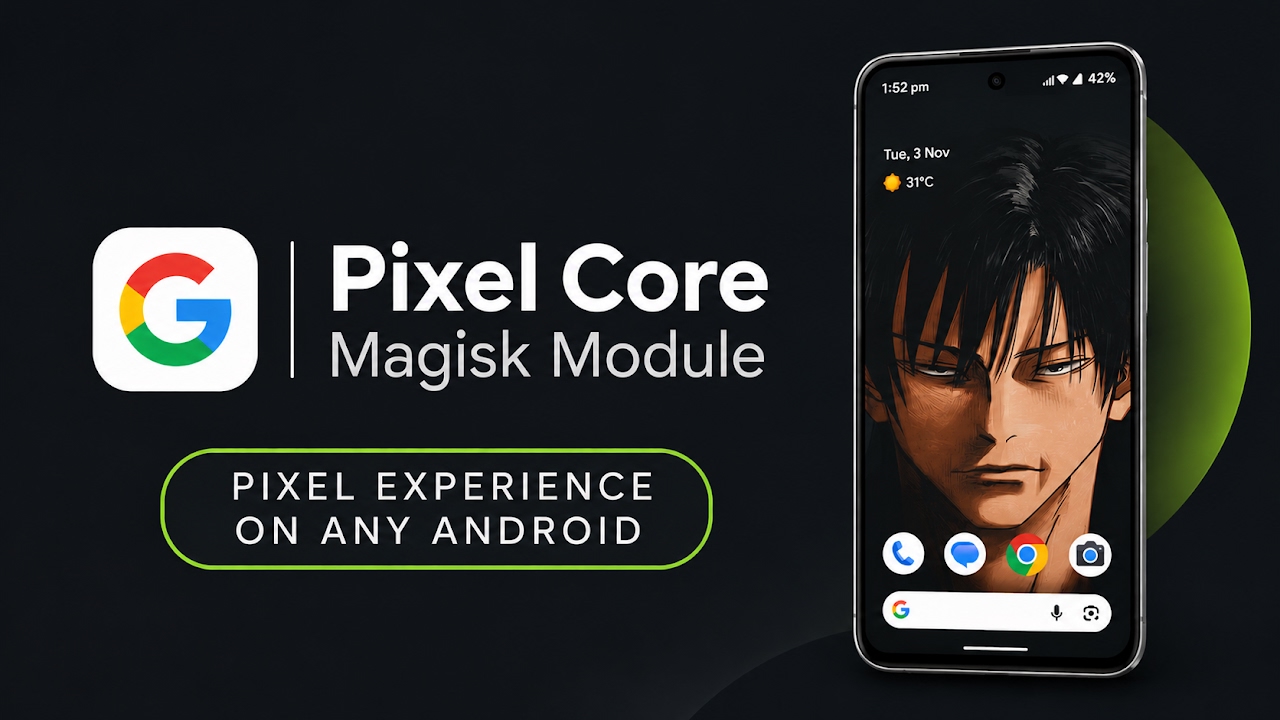
In the diverse ecosystem of Android smartphones, Google's Pixel lineup has always stood out not necessarily for its raw hardware specifications, but for its unparalleled software experience. The authentic Pixel interface is widely celebrated for its minimalist design, buttery smooth animations, and cohesive visual language that prioritizes user experience above all else. However, many Android enthusiasts find themselves utilizing custom ROMs on non-Google hardware to extend device longevity or gain access to specific advanced features. This often means sacrificing the highly refined, signature Google aesthetic. For years, users have attempted to replicate this look using third-party launchers and disparate icon packs, which often results in a fragmented and inconsistent user interface. The Pixel Core Magisk module emerges as the ultimate solution to this problem, providing a unified, system-level transformation that flawlessly replicates the genuine Google Pixel interface on virtually any custom ROM.
Understanding Systemless Modifications and Pixel Core
To fully appreciate the power of the Pixel Core module, it is important to understand how it operates under the hood. Unlike traditional custom ROM flashing which entirely replaces the device's operating system, this tool utilizes the Magisk framework to perform systemless modifications. This means the module injects its features into the Android framework during the boot sequence without permanently overwriting the core system partitions. The Pixel Core module specifically targets the visual and interactive elements of the operating system. When applied to a clean custom ROM framework, such as the highly popular LineageOS running on the latest Android 17 architecture, the integration is absolutely seamless. The package efficiently bundles the official Pixel launcher, the signature Google icon pack, and the beautiful Material You wallpaper styles into one lightweight, easy-to-install zip file.
Deep Dive into the Custom Pixel Launcher
The centerpiece of this module is undoubtedly the inclusion of the Pixel Core launcher. While it looks and feels identical to the stock application found on flagship Google devices, it has been intelligently modified by developers under the hood. These underlying modifications are crucial for ensuring perfect compatibility and fluid performance across a wide variety of third-party hardware architectures. Navigating through the launcher's settings menu reveals a strict adherence to Google's original, clean vision. Users will not find any strange, cluttered, or overly complicated modification menus added by the developer. Instead, all the standard, beloved features are present and fully functional. This includes reliable notification dots, the highly contextual At a Glance widget on the home screen, and standard layout options, all delivered without a single trace of unnecessary bloatware getting in the way of productivity.
Video Demonstration
Iconography and System-Wide Visual Cohesion
A major issue with piecing together a custom Pixel theme using standard apps from the Play Store is that certain system applications will always look out of place. The Pixel Core module solves this by baking specific, high-quality icon packs directly into the system framework. Upon taking a closer look at the application drawer and the primary home screen layout after installation, the visual upgrade is immediately apparent. Core system applications—most notably the built-in music player, the voice recorder, and the main system settings application—are automatically upgraded to feature that distinct, premium Google aesthetic. Because these icons are pre-built into the module itself rather than applied via a third-party application, the result is a beautifully unified look that applies instantaneously across the entire operating system immediately after the setup process is completed.
Dynamic Wallpapers and Advanced Theming Styles
The visual transformation is further enhanced by the inclusion of the official wallpaper and styles application framework. Just like on a genuine Pixel smartphone, users gain access to a fantastic array of deep customization settings natively integrated into the operating system. This grants complete creative control over the phone's overarching aesthetic. The most prominent feature is the dynamic color palette engine, which intelligently analyzes the user's chosen background image and extracts a custom color scheme that adapts perfectly to system menus, toggles, and supported applications. Furthermore, users can enable themed icons to force third-party apps to match the system colors, and easily adjust the application grid layouts to fit more or fewer icons on the screen, making the device feel truly personal, vibrant, and incredibly modern.
Installation Procedure via Magisk Manager
Because this tool leverages the Magisk framework, the installation process is straightforward for anyone familiar with rooted devices. Users must first download the Pixel Core module zip file directly to their device's internal storage. It is a highly optimized, lightweight package containing everything required for the visual overhaul. Next, users need to launch the Magisk Manager application and navigate directly to the modules tab located at the bottom of the interface. Tapping the 'install from storage' option allows users to browse their file system and select the downloaded zip file. The flashing process is fully automated; an installation script quickly unpacks the launcher files, system icons, and customization tools directly into the system framework. Once the terminal screen indicates a successful flash, a simple device reboot is required to allow the operating system to initialize the new visual modifications.
Final Verdict
The Pixel Core Magisk module is an absolute triumph for Android customization enthusiasts. By successfully packaging the authentic Google launcher, exclusive iconography, and dynamic styling tools into a single, easily flashable file, it eliminates the tedious process of manual theming. Whether running an older device with a custom ROM or simply wanting a cleaner interface on a modern smartphone, this module provides the absolute best way to achieve a flawlessly smooth, authentic Google Pixel experience on any compatible Android device.
Discussion (0)
Post a Comment
No comments yet. Be the first to share your thoughts!