
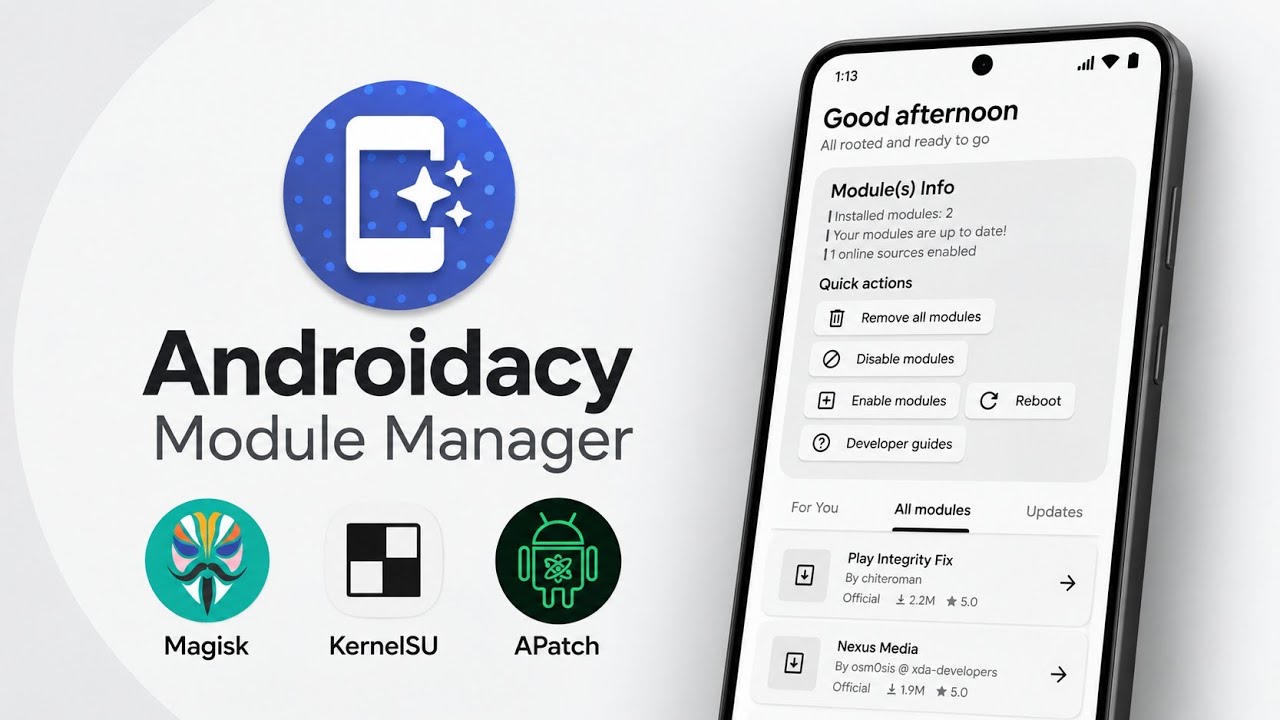
If you enjoy Android customization, rooting, and system-level tweaks, managing modules can quickly become complicated. You may need to browse repositories, find compatible packages, check updates, and keep track of installed modules. Androidacy Module Manager brings these tasks together in one interface.
Androidacy Module Manager is designed to help users discover, install, and manage modules on rooted Android devices. The video also demonstrates read-only browsing for users without root access, making it possible to explore the catalog before modifying a device.
What Is Androidacy Module Manager?
The app is a module discovery and management tool for Android. The demonstrated workflow supports Magisk, KernelSU, and APatch. The official Androidacy repository is included by default, and users can add repositories that use supported formats.
Main Features
Magisk, KernelSU, and APatch Support
The video highlights compatibility with these three root frameworks. Compatibility can depend on the app version, device, Android version, and framework, so review current project notes before installing modules.
Read-Only Browsing
Without root access, you can browse the available modules in read-only mode. Installing modules requires a supported rooted setup and the necessary permissions.
Update Notifications
The manager can check for module updates in the background and notify you when updates are available. You decide when to install them rather than automatically applying every update.
Search, Filters, and Recommendations
Search and filtering help locate modules quickly. The demonstration also describes sorting and recommendations intended to surface modules relevant to your preferences.
Repository Support
The official Androidacy repository is included by default. The video says the manager supports repositories using MMRL, MRepo, and classic source formats. You can add external sources, but only use repositories you trust.
Premium Features
Some advanced options are premium and require purchase. Core functionality remains available, though exact feature limits can change between versions.
How to Get Started
Step 1: Download
Download the application from the official project repository linked below. Check the release details and ensure the package comes from the intended source.
Step 2: Install and Open
Install the APK using Android's package installer. If Android requests permission to install from that source, verify the file before allowing it.
Step 3: Browse Modules
Open the app and explore the catalog. If your device is not rooted, use read-only browsing rather than attempting to install modules.
Step 4: Grant Root Access if Needed
On a supported rooted device, the app may request root permission for installation. Grant it only if you trust the application and understand the request. Notification permission can be useful for update alerts.
Step 5: Search and Review
Search or filter for a module, then read its description, compatibility notes, and changelog before installing.
Step 6: Manage Repositories and Updates
The Androidacy repository is included by default. Before adding an external repository, verify who maintains it. When updates appear, review the changelog and make sure you have a recovery plan before installing system-level changes.
Watch the Full Video
Safety Notes
Root modules can change system behavior and may cause boot loops, instability, data loss, or security problems. Rooting may affect warranty coverage depending on your device and region. Back up important data, keep a recovery path available, and avoid modules whose purpose or source you do not understand.
Androidacy Module Manager does not provide direct rooting support. Rooting and framework setup are separate processes, and users are responsible for the modifications they make.
Final Thoughts
Androidacy Module Manager provides a convenient place to discover and manage modules across Magisk, KernelSU, and APatch setups. Search tools, repository support, update notifications, and read-only browsing can simplify module discovery. Use trusted sources and check compatibility before installing.
Download
Download Androidacy Module Manager

Discussion (0)
Post a Comment
No comments yet. Be the first to share your thoughts!