
The Limitations of Standard Device Management
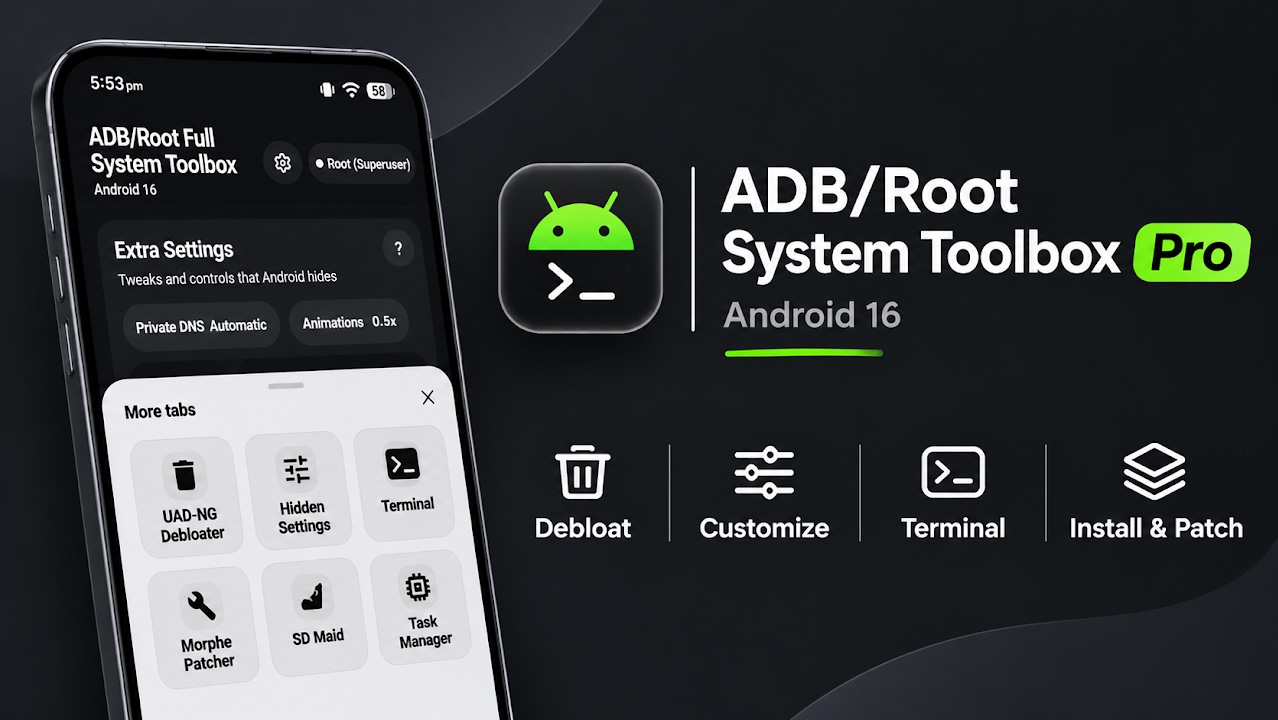
For years, advanced Android users have been restricted by the inherent limitations of standard on-device application managers. Attempting to deeply modify a smartphone—such as removing aggressive carrier bloatware, modifying hidden system variables, or accessing a root-level terminal—traditionally required connecting the device to a computer via a USB cable and utilizing the Android Debug Bridge. This reliance on an external personal computer creates a significant barrier to entry for many users and prevents on-the-go troubleshooting. However, the development community has completely revolutionized this workflow with the introduction of ADB Application Manager Pro. This application is an absolute powerhouse, combining the advanced capabilities of a computer-based debugging environment directly into a standalone mobile application. It effectively transforms any Android smartphone into a self-sufficient powerhouse, allowing users to deeply debloat their system, freeze persistent applications, run a fully functional terminal environment, and heavily recolor their system interface—all without ever needing to plug into a computer.
Installation and Initial Permission Configuration
Because this application interacts with the operating system on such a profound level, it is not available through traditional retail storefronts. Users must manually download the single, compact APK package and install it directly via their preferred file manager. Despite its relatively small file size, the application packs an incredible amount of functionality. Upon launching the application for the very first time, the user is greeted by a prompt requesting a series of essential system permissions. To ensure the manager can properly manipulate application packages and operate seamlessly in the background, users must grant 'All files access' and 'Usage access'. Additionally, the 'Display over other apps' permission must be enabled. Granting these permissions ensures that the application's overlays and background tasks execute flawlessly without being interrupted by the Android system's aggressive memory management protocols.
Seamless Connection Methods and Privilege Modes
One of the most impressive architectural achievements of ADB Application Manager Pro is its sheer versatility when establishing a connection to the system framework. The application intelligently adapts to whatever specific setup the user's device is currently running. For users without root access, it can function perfectly using standard local ADB protocols or modern Wireless Debugging techniques. It also features flawless integration with the Shizuku framework for elevated, systemless API access. However, to truly unlock the absolute maximum potential of the software, granting it full Superuser root access is highly recommended. By operating with root privileges, the application bypasses all manufacturer restrictions, granting the user unhindered control over every single file and system partition on the device.
Video Demonstration
The Ultimate Application Management and Debloating Hub
The core functionality of the tool lies within its extensive Apps tab, which serves as a highly advanced command center. From this interface, users can easily search, sort, and manipulate any installed package on the device. Users can freeze or suspend stubborn system applications that normally refuse to be disabled, preventing them from draining the battery in the background. The manager also supports complex batch actions, allowing users to clean up multiple apps simultaneously with a convenient, one-tap Undo button as a safety net. The standout feature here is the built-in UAD-NG debloat list. This integrated database contains over five thousand known bloatware and telemetry packages. By utilizing this list, users can safely and effectively debloat their entire smartphone in a matter of minutes, completely eliminating background tracking and reclaiming valuable storage space without risking a system bootloop.
Integrated App Stores and On-Device Patching
Beyond simply removing applications, the manager acts as a highly capable software repository. By navigating to the App Stores and Installer tabs, users gain direct access to vast open-source libraries. The application integrates seamlessly with GitHub, F-Droid, APKMirror, and Uptodown, allowing users to discover and install new software directly within the interface. For users interested in software modification, the tool even includes the Morphe Patcher. This advanced feature allows users to directly patch and modify application APK files right on the smartphone, eliminating the need to transfer files back and forth to a desktop computer for reverse engineering.
Terminal Access and AI Coding Agents
For developers and absolute power users, the Console and Terminal tabs are genuinely groundbreaking. The application provides a legitimate, Termux-style shell right in the user's pocket. It comes fully equipped with essential command-line utilities including vim for text editing, htop for process monitoring, SSH for remote server management, and full Python support. The most revolutionary addition, however, is the integration of built-in Artificial Intelligence coding agents. Users can actively ask sophisticated language models—such as Claude, Gemini, or Deepseek—to write complex shell commands or diagnostic scripts directly within the terminal interface. To ensure absolute safety and prevent malicious code execution, these AI-generated commands will only run after receiving explicit, manual approval from the user.
Hidden Settings, Theming, and System Maintenance
Customization enthusiasts will find the Hidden Settings and Overlays sections incredibly valuable. The application provides a graphical interface to easily edit Android’s Global, Secure, and System tables, with each variable clearly explained to prevent accidental damage. With root access enabled, the visual customization options are massive. Users can force pure black backgrounds across the system to save battery on OLED displays, completely tweak the Material You color extraction engine, pick custom system accents, and inject beautiful Material 3 Expressive animations across the entire user interface. Furthermore, the application packs dedicated SD Maid tools to clear out system corpses and trim application caches. A built-in Task Manager provides real-time monitoring of CPU temperatures, GPU renderers, and active RAM consumption. Impressively, this entire suite operates completely offline, is entirely private by design, features zero advertisements, and includes no background tracking telemetry. It even features functionality to manage a connected Wear OS smartwatch directly from the phone's display.
Final Verdict
ADB Application Manager Pro is essentially the ultimate Swiss Army knife for Android power users. By seamlessly combining aggressive debloating tools, system-wide theming, full terminal access with AI integration, and comprehensive package management into one beautifully designed, offline package, it effectively makes a desktop PC obsolete for smartphone management. It is a mandatory installation for anyone who wants absolute, unrestricted control over their Android operating system.

Discussion (0)
Post a Comment
No comments yet. Be the first to share your thoughts!