
Android has become increasingly restrictive about what regular applications can access, especially when it comes to system-level APIs and device management. For Android enthusiasts, this can make advanced customization difficult without rooting the phone.
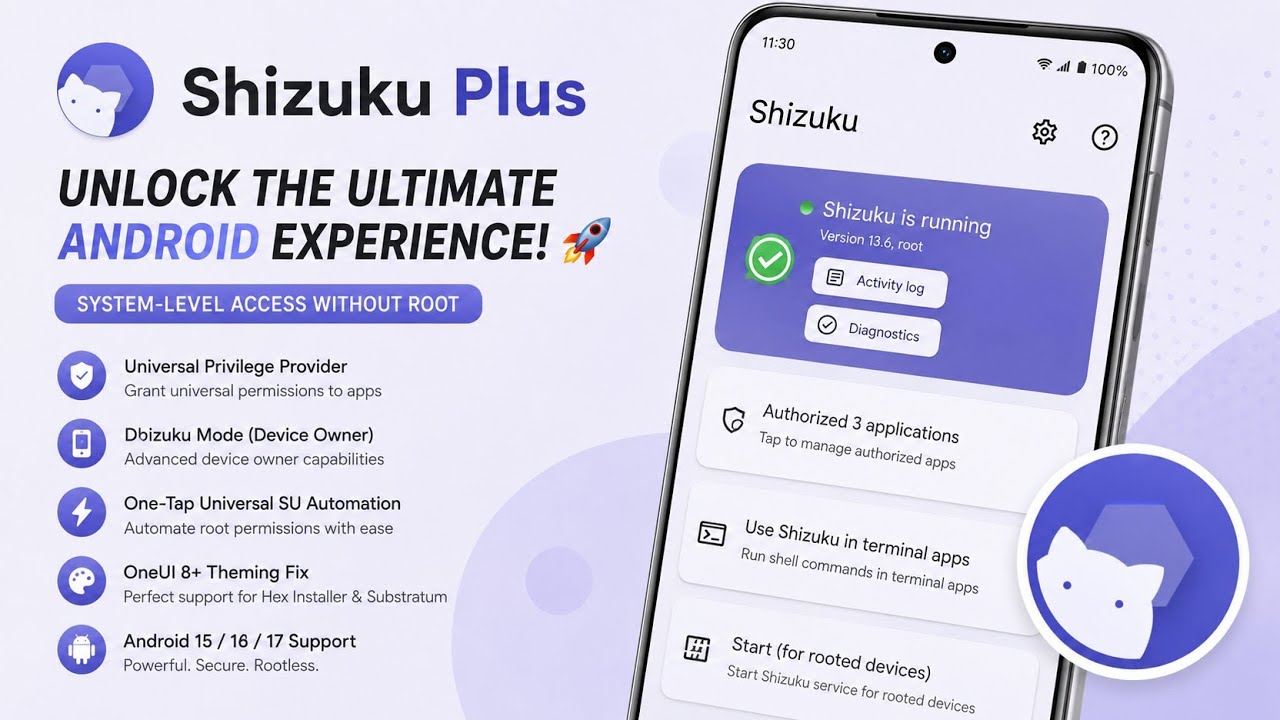
Shizuku+ takes a different approach. It is an enhanced fork of Shizuku that keeps the core concept of allowing normal Android applications to communicate with system-level APIs through a privileged process, while adding additional features aimed at power users and developers.
The project is built on top of the thedjchi/Shizuku fork and ultimately builds upon the original Shizuku project from RikkaApps. According to its official repository, Shizuku+ adds quality-of-life improvements, backported optimizations and additional Plus APIs.
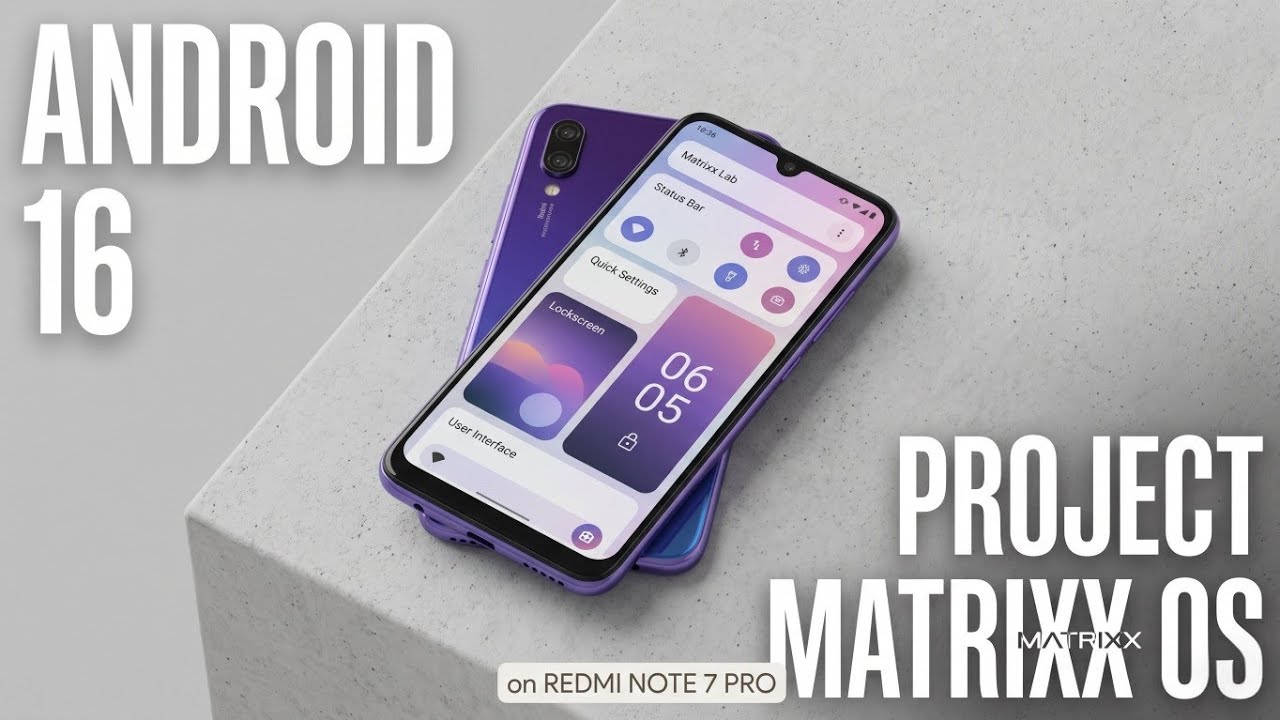
I tested Shizuku+ on my Redmi Note 7 Pro running MatrixxOS, based on Android 16 QPR2. In this article, I'll explain what Shizuku+ does, how it differs from the standard Shizuku experience, what access modes it supports, and which features make it interesting for Android customization.
What Is Shizuku+?
At its core, Shizuku+ is a privileged-process manager for Android.
The original Shizuku concept allows compatible applications to use certain Android system APIs through a privileged process started using ADB or root. This means an application can perform some advanced operations without requiring the entire phone to be rooted.
Shizuku+ expands on that concept with additional functionality designed for users who want more control over applications, permissions and system behaviour. Its official documentation describes it as an enhanced Shizuku implementation with additional APIs and power-user features.
One important point is that Shizuku+ is not simply another Android customization application. It acts as an infrastructure layer that other compatible applications can use.
That makes it particularly useful if you already have several applications that depend on Shizuku.
My Testing Setup
For this video and article, I used:
- Device: Redmi Note 7 Pro
- ROM: MatrixxOS
- Android: Android 16 QPR2
- Testing environment: Custom ROM
- Purpose: Testing Shizuku+ and its advanced management features
Using a Redmi Note 7 Pro with a modern Android 16-based ROM also demonstrates how these tools can provide additional functionality on older hardware.
Watch the Full Video
I've demonstrated Shizuku+ and its features in the accompanying TechyNoob video. If you want to see the interface and practical setup before installing it, the video provides a visual overview.
The rest of this article focuses on the underlying functionality, compatibility and things you should understand before giving an application Shizuku+ access.
Root, ADB and Dhizuku Modes
One of the more interesting parts of Shizuku+ is that it supports multiple ways of starting its privileged service.
The official repository lists Root mode, Wireless Debugging mode and PC/ADB mode. Wireless Debugging requires Android 11 or newer, while the project supports Android 7 and later overall.
This gives users several options depending on their device.
If your phone is rooted, you can use the root-based service. If you don't want to root, Wireless Debugging can be used on compatible Android versions.
Shizuku+ also includes an integrated Dhizuku mode, which uses Android's Device Owner functionality. The project describes this as another way of providing privileged functionality without traditional root.
These modes should not be confused with unrestricted root access. The actual capabilities available to an application depend on the mode being used and Android's own security model.
A More Powerful Management Interface
Shizuku+ goes beyond simply starting a service.
Its official feature list includes bulk application management, allowing multiple applications to be selected for operations such as granting or revoking permissions or hiding applications. It also includes customizable gestures for applications in the management list and a Quick Settings tile for viewing or toggling service status.
Another useful feature is the Activity Log.
The project describes this as an audit trail for API calls and su bridge commands, with application icons and real-time information. For advanced users, having a record of privileged operations can make troubleshooting easier and provide better visibility into what is happening.
Root Compatibility and SU Bridge
Shizuku+ also includes features aimed at users who already have rooted phones.
The official repository describes a Root Compatibility Hub with functionality such as granular module control, automatic granting and file interception. It also provides a Universal SU Automation feature intended to configure compatible root applications to use the Shizuku+ SU Bridge.
This is one area where Shizuku+ becomes more than a simple Shizuku fork.
However, these are advanced features. If you are not familiar with root permissions, su, Android services or privileged APIs, I recommend understanding what a feature does before enabling it.
Giving an application elevated access simply because it requests it isn't a good security practice.
Third-Party App Compatibility
Another important consideration is compatibility with applications that expect the original Shizuku package.
Shizuku+ normally installs using its own package name, af.shizuku.plus.api. Because many existing applications specifically look for moe.shizuku.privileged.api, the project includes a Compat Hub that can help compatible third-party applications detect the Shizuku+ service.
The project also provides a drop-in build that registers using the original package name, although the repository warns that this should not be installed alongside the stock Shizuku application.
This is an important distinction if you're migrating from standard Shizuku.
Before changing your setup, check which Shizuku implementation your applications expect.
Android 16 and Android 17
Compatibility with newer Android versions is one of the reasons Shizuku+ is particularly interesting for enthusiasts.
The project currently documents support through Android 17, and its repository includes compatibility work inherited from upstream projects.
The project is also actively receiving updates and fixes. Its current release history includes fixes involving third-party application connections, shell-consent persistence and service behaviour.
That said, users should not interpret an Android version number in the README as a guarantee that every OEM ROM will behave identically.
Android manufacturers and custom ROM developers can introduce their own restrictions, so device-specific compatibility should always be considered.
Installation and Download
Before installing Shizuku+, decide which service mode you intend to use.
For a non-rooted device running Android 11 or newer, Wireless Debugging is one available option. A PC/ADB setup is another possibility. Root users can use the root service where supported.
If you're migrating from another Shizuku implementation, check whether the applications you use require the original package name and whether the Compat Hub is necessary.
For the version featured in my video, use the download link below:
For the source code, documentation and current releases, visit the official Shizuku+ GitHub repository.
The project also acknowledges the original Shizuku project and other upstream projects that contributed to its development. Shizuku+ is not affiliated with the original RikkaApps Shizuku team.
Security Considerations
Shizuku+ can provide applications with access to powerful Android APIs. That makes it useful, but it also means you should be careful about which applications receive its permissions.
Only grant Shizuku+ access to applications you trust.
If you are using root mode, the security implications are even more significant because root access can provide considerably greater control over the device.
The Activity Log can also be useful when troubleshooting or reviewing privileged operations, but it shouldn't replace basic security practices such as installing software from trusted sources and keeping your operating system and applications updated.
My Experience on MatrixxOS
On my Redmi Note 7 Pro running MatrixxOS based on Android 16 QPR2, Shizuku+ is an interesting addition to an Android customization setup because it provides a central way to manage functionality that would otherwise require several different tools.
The biggest advantage isn't that it makes Android faster. Instead, the value comes from the additional control and management capabilities available to applications that can use its service.
For someone who already uses Shizuku-compatible applications, the bulk management tools, activity logging, Quick Settings integration and additional compatibility features can make the overall workflow more convenient.
Pros and Cons
Pros
- Enhanced Shizuku-based architecture
- Root, ADB and Dhizuku modes
- Wireless Debugging support
- Android 16/17 compatibility work
- Bulk application management
- Activity logging
- Quick Settings integration
- Root/SU bridge features
- Additional APIs for developers
- Can coexist with standard Shizuku through its compatibility system
Cons
- Advanced features can be confusing for beginners
- Privileged permissions require careful handling
- Third-party application compatibility may require Compat Hub
- Device/OEM behaviour can vary
- Some features are intended specifically for advanced users
Final Verdict
Shizuku+ is an interesting project for Android enthusiasts who want more functionality than the traditional Shizuku manager provides.
On my Redmi Note 7 Pro running MatrixxOS based on Android 16 QPR2, it fits particularly well into an advanced Android customization workflow because it provides a central service that compatible applications can use without necessarily requiring traditional root.
The combination of ADB, root and Dhizuku support, along with features such as bulk application management, activity logging, Quick Settings controls and compatibility improvements, makes it more than a simple visual replacement for Shizuku.
However, Shizuku+ should be treated as an advanced system-management tool, not something that should be installed and granted access to every application without consideration.
If you already use Shizuku-compatible applications and want to experiment with additional controls, Shizuku+ is worth exploring. Just make sure you understand the privilege model, use trusted applications, and keep a recovery plan available when experimenting with advanced Android modifications.
Test Device: Redmi Note 7 Pro
ROM: MatrixxOS
Android: 16 QPR2
Download: Download
Official Developer Repository: thejaustin/ShizukuPlus

Discussion (0)
Post a Comment
No comments yet. Be the first to share your thoughts!