
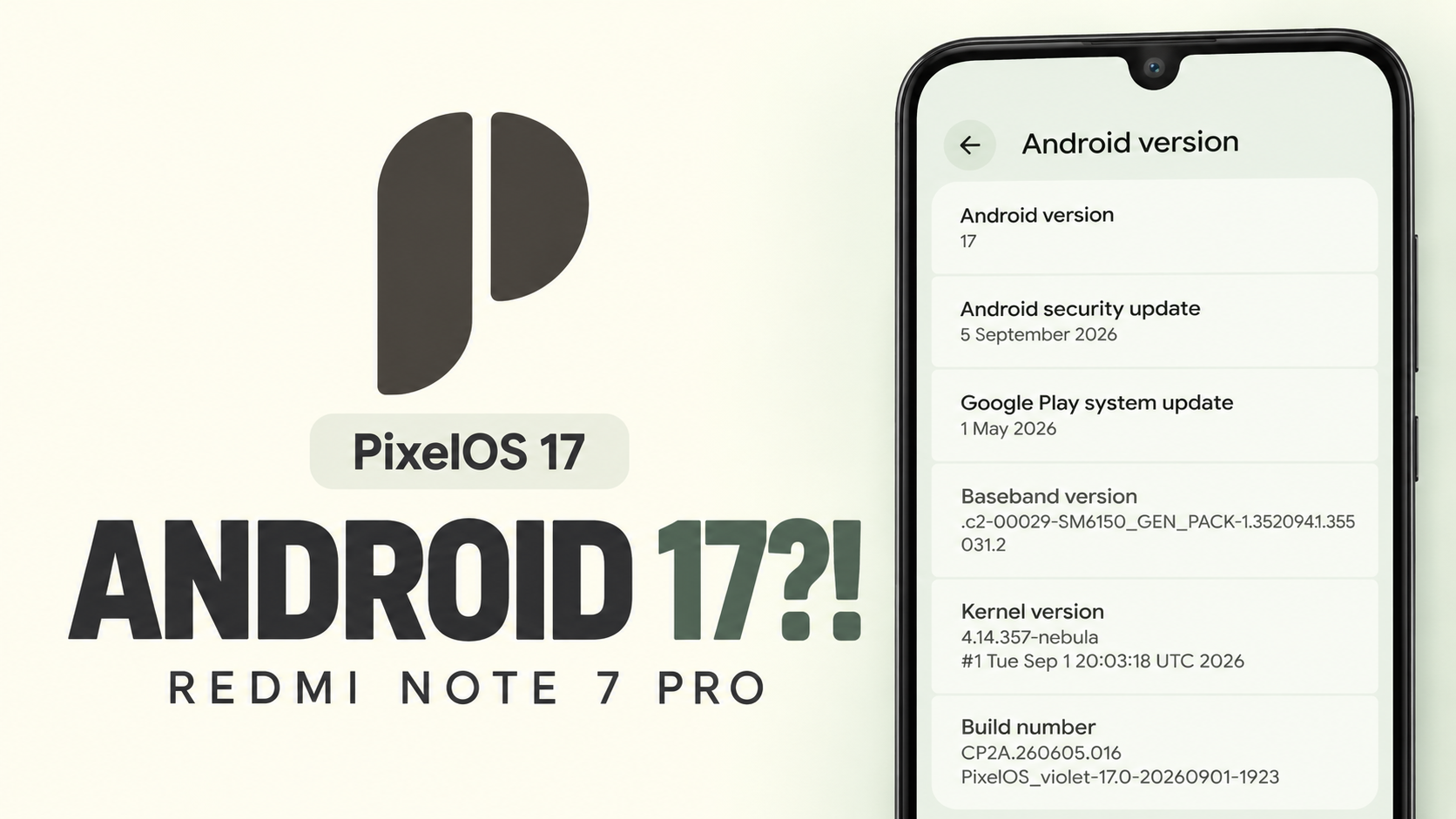
PixelOS 17 brings an Android 17-based custom ROM experience to the Xiaomi Redmi Note 7 Pro, codenamed violet. The phone originally shipped with Android 9 Pie, and this build demonstrates how community development can extend the useful life of older hardware while retaining a clean, Pixel-inspired interface.
Software Details
- Device: Xiaomi Redmi Note 7 Pro (violet)
- ROM: PixelOS 17, based on Android 17
- Google Play system update: May 2026
- Android security patch: September 2026
- Kernel: custom nnebula 4.14 kernel, described as tuned for balanced CPU scaling and stability
Installation guide
Android 17 Easter Egg
The Android version entry in Settings opens the Android 17 Easter Egg. Tapping and holding its central element triggers an orbital visualizer and haptic feedback. The animation remained responsive during testing.
Network and Private DNS
Mobile data and Wi-Fi handling were reliable. Private DNS was not preconfigured, so users who rely on secure DNS hostnames or ad-blocking DNS services such as AdGuard must enter their preferred provider manually. A built-in network traffic monitor can be enabled in the status bar settings, with configurable units and an option to hide it when no transfer is active.
Display and Gestures
LiveDisplay includes grayscale reading mode and manual color calibration. Screen colour modes include Natural, Boosted and Adaptive. Double-tap to wake and double-tap the status bar to sleep are also available; both gestures responded without noticeable delay in testing.
Wallpaper and Style
- Adjustable lock-screen clock size and custom clock fonts.
- Custom lock-screen app shortcuts.
- Material 3 dynamic colours based on the wallpaper.
- Manual contrast settings and custom app icon packs.
- Adjustable home-screen app grid.
Battery Life
Battery settings include usage charts, Battery Saver, background battery management and a battery percentage toggle. Mixed everyday use—web browsing, social media and media playback—delivered around six hours of screen-on time in testing. This is one device's result, not a guarantee for every battery or usage pattern.
System Features
Navigation can use gestures or the traditional three-button layout. A Game Controller menu detects connected controllers and allows directional-pad and analog-stick mapping. Circle to Search can be invoked by holding the navigation handle or home button, then circling text or images. Per-app Thermal Profiles allow performance states to be selected for demanding games or navigation.
Biometrics and Integrity Checks
The build supports front-camera Face Unlock and the rear fingerprint scanner; both worked reliably in everyday testing. Out of the box, the tested build did not pass SafetyNet or Play Integrity checks, either unrooted or with Magisk. The maintainer's release notes describe troubleshooting steps. In the tested configuration, the Integrity Box Magisk module enabled basic integrity.
Review overview
Google Pay Testing
After basic integrity passed, Google Pay testing—including bank account linking, tap-to-pay and merchant UPI transfers—worked without security flags or crashes. Results can change with app checks and platform requirements; passing basic integrity does not guarantee compatibility with every banking or payment app.
Benchmark and Multimedia
Geekbench 7 repeatedly crashed at roughly 70–80% of the test, so a complete score could not be recorded. The ROM includes native Dolby Atmos with a graphic equalizer, audio profiles and a bass enhancer for the speaker and wired headphones.
Google Photos Storage Feature
The build includes a feature that spoofs Pixel privileges to enable unlimited Google Photos photo and video backups without using the account's storage quota. Availability depends on the ROM implementation and changes to Google's services; this behavior should not be assumed to be officially supported by Google.
Pros and Limitations
- Highlights: modern Android 17, Pixel-inspired customization, responsive biometrics, network traffic monitor, Circle to Search, controller mapping, thermal profiles and Dolby Atmos.
- Limitations: Private DNS needs manual setup; SafetyNet and Play Integrity fail by default in the tested setup; Geekbench 7 does not complete; battery life was around six hours of screen-on time.
- Performance and compatibility can vary by build, installation, battery condition and configuration.
Verdict and Installation Caution
PixelOS 17 gives the Redmi Note 7 Pro a modern Android experience with useful customization and multimedia features. The main caveats are integrity-check failures out of the box, an incomplete Geekbench run and manual Private DNS setup. Before installing, back up personal data, confirm the exact device variant and follow the maintainer's current instructions. Bootloader unlocking and firmware flashing can erase data or prevent booting if the wrong files are used.


Discussion (0)
Post a Comment
No comments yet. Be the first to share your thoughts!