
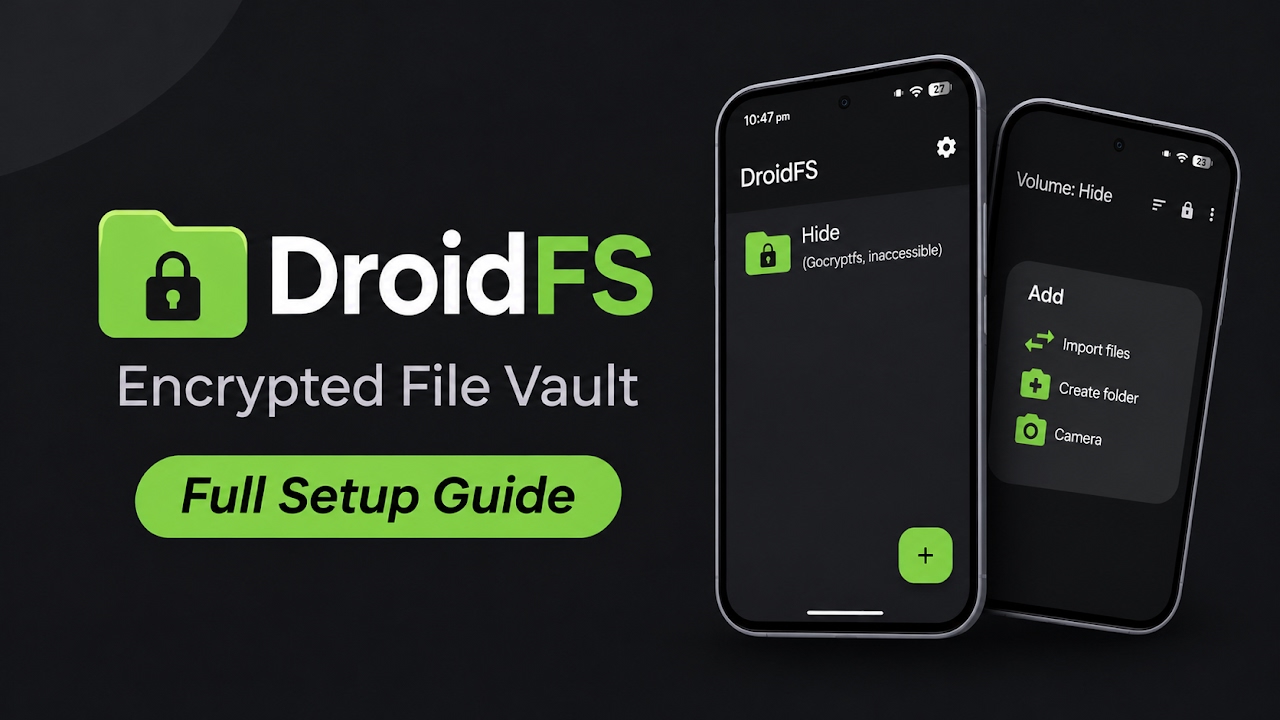
The Necessity of On-Device Data Encryption
In the modern digital landscape, smartphones have essentially become highly portable vaults that contain our most sensitive personal information. From confidential financial documents and legal paperwork to highly private photographs and sensitive work-related files, the sheer volume of personal data stored on internal smartphone memory is staggering. While the Android operating system implements standard device-level encryption, this basic layer is immediately unlocked the moment you enter your PIN or scan your fingerprint to access the home screen. Once the device is unlocked, any rogue application with storage permissions, or anyone who physically handles the phone, can freely access your local files. To combat this severe security vulnerability, power users require secondary, isolated encryption layers. DroidFS steps in as an incredibly powerful, highly secure tool specifically engineered to manage encrypted virtual filesystems directly on your Android device, providing a robust fortress for your most confidential data.
System-Wide Mounting Versus Isolated Internal Explorers
Traditionally, attempting to utilize advanced encrypted volumes on Android involved a massive amount of hassle. Users typically had to rely on complex root-level applications to mount encrypted volumes system-wide. While system-wide mounting sounds convenient, it inherently defeats the purpose of strict security, as the decrypted files become visible to the entire Android media scanner and all other installed applications. DroidFS takes a remarkably different and vastly superior approach. Instead of dealing with the risk of mounting volumes across the entire system framework, it utilizes its very own, heavily sandboxed internal file explorer. This architectural decision ensures that your decrypted files remain completely isolated from the rest of the Android operating system, significantly minimizing the attack surface and keeping your data invisible to prying third-party applications.
Downloading and Initial Setup Process
Because DroidFS operates with high-level security protocols and manages internal cryptographic algorithms, it is crucial to obtain the software directly from verified developer sources to ensure the integrity of the code. Users must download the official application package from the designated developer repository. Once the APK file has been safely downloaded to the device's local storage, users can open their standard file manager and navigate to the downloads folder. Before initiating the installation process, the Android operating system must be explicitly permitted to install applications from unknown sources. Tapping the downloaded APK file prompts the system installer. The installation finishes in just a few brief moments, securely deploying the application to the device without demanding unnecessary, invasive permissions that contradict its privacy-focused mission.
Video Demonstration
Creating and Managing Cryptographic Volumes
Opening the application for the first time reveals a clean, utilitarian environment entirely focused on data security. One of the absolute best features of this application is its strict compatibility with original, highly respected encrypted volume implementations. Currently, DroidFS offers robust support for both gocryptfs and CryFS cryptographic protocols. This means you can create highly secure volumes on your smartphone and seamlessly mount those exact same volumes on your desktop computer, ensuring cross-platform data integrity. Inside the application, creating a new secure vault is incredibly straightforward. Once a volume is created and secured with a strong passphrase, users can begin populating it. The internal explorer provides options to create entirely new folders from scratch or securely import existing files from the unencrypted public storage of the Android device, wiping the original unencrypted traces in the process.
Internal Media Viewing and The Built-In Camera
A major pain point with older encryption tools was the inability to properly view media files without first exporting them back to the vulnerable public storage. DroidFS completely eliminates this issue by providing native, internal support to view video files, play audio tracks, display high-resolution images, read plain text, and open PDF documents directly within its sandboxed environment. This ensures your sensitive media is never temporarily cached by the main Android system. Furthermore, the application includes a highly innovative built-in camera function. This standout feature allows users to take brand new photos and record videos that are instantaneously encrypted on the fly. The captured media is written directly into the secure volume, meaning it absolutely never touches the standard Android gallery or public storage partitions, guaranteeing zero data leakage.
Advanced Authentication and Background Auto-Locking
To balance extreme security with daily usability, the application offers incredibly robust volume management and authentication settings. Rather than forcing the user to type a complex, thirty-character passphrase every single time they wish to access a file, DroidFS allows users to optionally enable biometric fingerprint authentication. This allows for swift, secure access with a simple touch. Security is further tightened by the extensive auto-locking preferences. Users can configure the application to automatically lock all open volumes the exact millisecond the app goes into the background, or whenever the device screen is turned off. This guarantees that even if you forget to manually lock your vault, your data is instantly protected the moment you switch away from the application.
Export Methods, Sharing, and Screenshot Protection
For advanced users, the application provides fine-grained control over how data interacts with the outside world. If a file absolutely must be shared, the export methods can be deeply customized. Users can choose between standard auto-selection, initiating a temporary export to the physical disk, or utilizing an advanced memory file framework for the safest possible handling of decrypted data. The application also provides extensive sharing controls, allowing you to explicitly dictate whether other applications are permitted to receive files from the vault. As a final layer of defense against accidental data exposure or malicious spy apps, DroidFS allows users to completely block screenshots from being taken while the internal file explorer is open, ensuring no visual data can be captured from the display.
Final Verdict
DroidFS is an absolute masterpiece of Android security software. By choosing to utilize a highly secure internal file explorer rather than relying on flawed system-wide mounting, it provides an unparalleled level of data isolation. The inclusion of native media viewers, an instantly encrypting built-in camera, and strict adherence to proven cryptographic standards like gocryptfs and CryFS make it a mandatory utility for anyone who is serious about keeping their personal data completely private. It effectively turns your smartphone into an impenetrable digital fortress.
Discussion (0)
Post a Comment
No comments yet. Be the first to share your thoughts!