
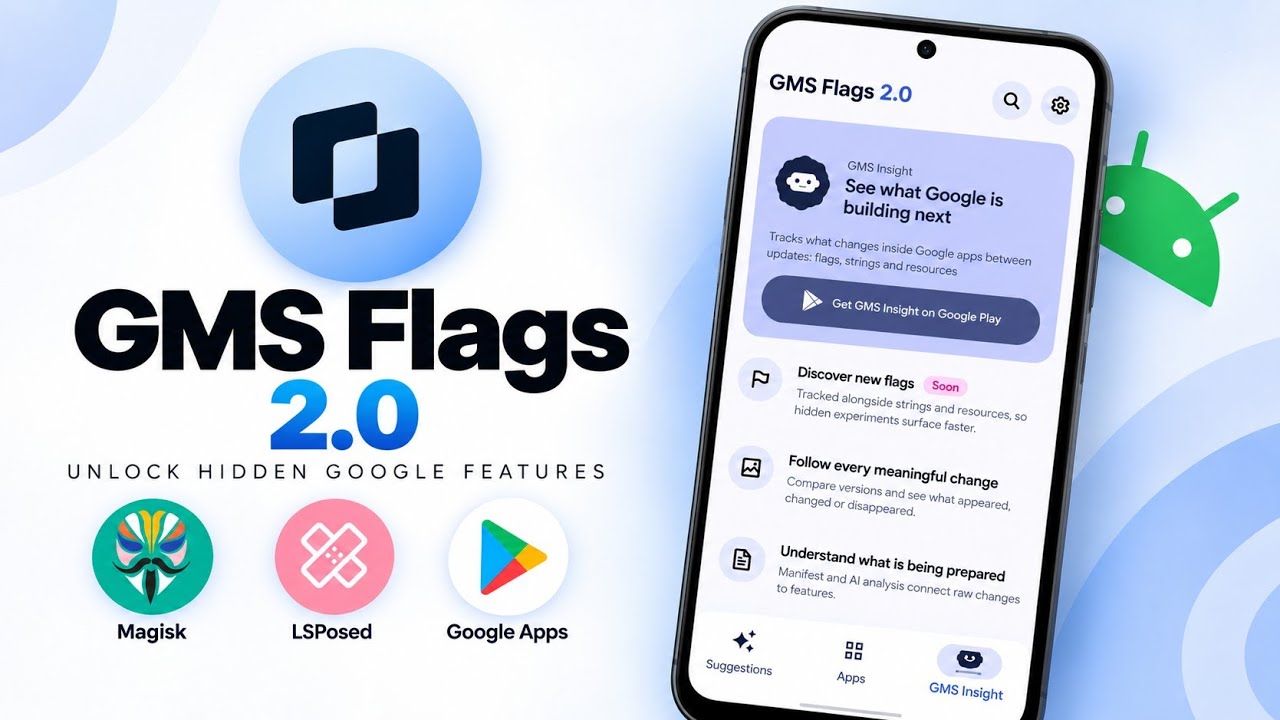
GMS Flags 2.0 is a tool for Android power users who want more control over hidden configuration flags used by Google apps. It is designed to let users inspect and override Google Phenotype flags—the server-controlled settings Google uses to manage feature rollouts, experiments and staged releases. This can be useful when testing features that have not rolled out to everyone yet, or when investigating whether a configuration change is behind a new behaviour or a feature that stopped working after a server-side update.
The app works at a deeper level than a regular settings menu. According to the supplied demonstration, GMS Flags 2.0 is a root and Xposed-based app that can work with supported Google applications such as Gboard, YouTube, Google Photos and the Play Store. Availability and results depend on the flags exposed by each app and the configuration active on the device; changing a flag does not guarantee that a feature will work.
What Are Phenotype Flags?
Phenotype flags are configuration values used by Google apps to control behaviour. They can determine whether a feature is enabled for a particular user or device, allow A/B tests, and manage staged rollouts. GMS Flags presents available flags in a searchable interface and groups them by application package name, making it easier to inspect settings for individual apps.
Version 2.0 supports boolean, integer, float and string flags. Depending on the flag, users can override values individually or in bulk. These controls are powerful, so change only flags you understand and keep a record of changes in case an app starts behaving unexpectedly.
All Major Features Highlighted
- Searchable, package-based flag browser: find flags for supported apps, grouped by package name.
- Multiple data types: work with boolean, integer, float and string values, overriding flags individually or in bulk.
- Curated recommendations: use suggested combinations intended to unlock specific features, with one-tap apply and undo controls.
- Compatibility/status checks: the app provides a status check intended to indicate whether a tweak is likely to work on the current installation.
- Signed micro-hooks (Needle): some features may need more than a flag change. The script says each hook is checked against an ECDSA P-256 signature before installation.
- Import and export: save or share configurations as .gmsflags files, including per-flag package overrides for multi-package apps.
- Hook status dashboard: see which supported apps the module is attached to and troubleshoot apps that do not appear to connect.
- Opt-in analytics: according to the script, analytics are optional and no personally identifiable information is collected. Boolean, integer and float values may be logged to help shape recommendations, while string flags stay on-device because they may contain sensitive tokens or email addresses.
Requirements Before Installation
GMS Flags 2.0 is not a standalone app that can perform all its functions on an unmodified Android installation. The demonstrated setup uses root access and LSPosed/Xposed. Have a compatible rooted device and a working LSPosed installation before beginning. The video uses KernelSU, where root permission may need to be granted manually.
- A compatible Android device with root access.
- LSPosed/Xposed framework installed and working.
- GMS Flags 2.0 APK from a trusted release source.
- A root manager such as KernelSU to review and grant superuser permission.
Watch the Full Video
How to Install and Set Up
1. Download the APK. Get GMS Flags 2.0 from a trusted, verified release source. Because the app handles deep app configuration, avoid unknown or repackaged APKs.
2. Install the app. Open your file manager, navigate to Downloads, tap the APK and complete the Android package installer prompts.
3. Enable it in LSPosed. Open LSPosed Manager and enable GMS Flags as an active module. Installing the APK alone is not enough because the app relies on the Xposed framework.
4. Grant root access. Launch GMS Flags. If the root prompt does not appear automatically, open KernelSU or your root manager and manually grant superuser permission.
5. Browse and test flags. Search for the target app, inspect its flags and apply a recommendation or override only when you understand the change. Use undo or restore a saved configuration if the result is undesirable.
6. Check hooks and back up. Use the hook dashboard to check attachment status. Export a .gmsflags configuration before making multiple changes so you have a record of the setup.
Important Notes and Limitations
A flag override does not guarantee that a hidden feature will become available. Some features may require server-side support, additional app code or a particular version of the target app. A status check can help, but should not be treated as a promise. Changing internal flags can also introduce instability, unexpected behaviour or data issues. Where possible, change one value at a time and undo it if needed.
The script describes analytics as opt-in and distinguishes numeric/boolean values that may be logged from string flags, which remain on-device because they may contain sensitive information. Review the app's current privacy information and permissions before enabling analytics or installing hooks.
Who Should Use It?
GMS Flags 2.0 is best suited to experienced Android users who already understand root, LSPosed and the risks of modifying internal app configuration. Its searchable flag list, recommendations, import/export support and hook dashboard make experimentation more organised. For everyday users who do not need hidden-feature testing, the root and framework requirements may be unnecessary complexity.


Discussion (0)
Post a Comment
No comments yet. Be the first to share your thoughts!